


Managing a large portfolio of domains through an outdated system can be slow and inefficient. NameMart's category management system streamlines the process, allowing you to handle your domains more quickly and with less effort.
With NameMart, you can easily add domain categories to manage multiple domains at once. Any setting you apply at the category level will take effect across all domains within that category, such as changing DNS, updating contact information, updating resolution, or listing domains for sale.
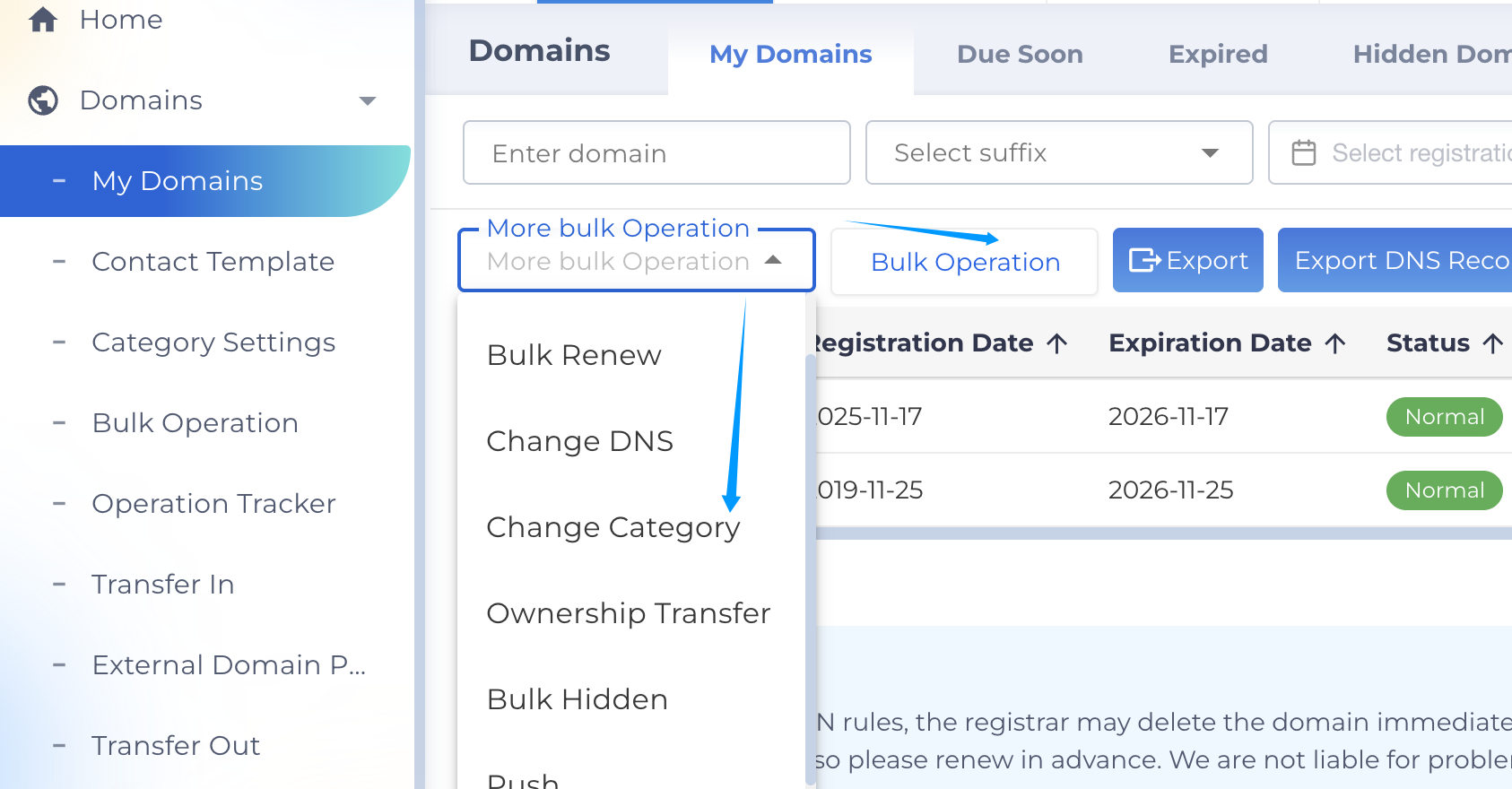
Once you are signed in, navigate to My Domains. From the page, select one or more domains, click "Bulk Operations". Next, choose "Change Category" from dropdown menu, then select one category to add domains.
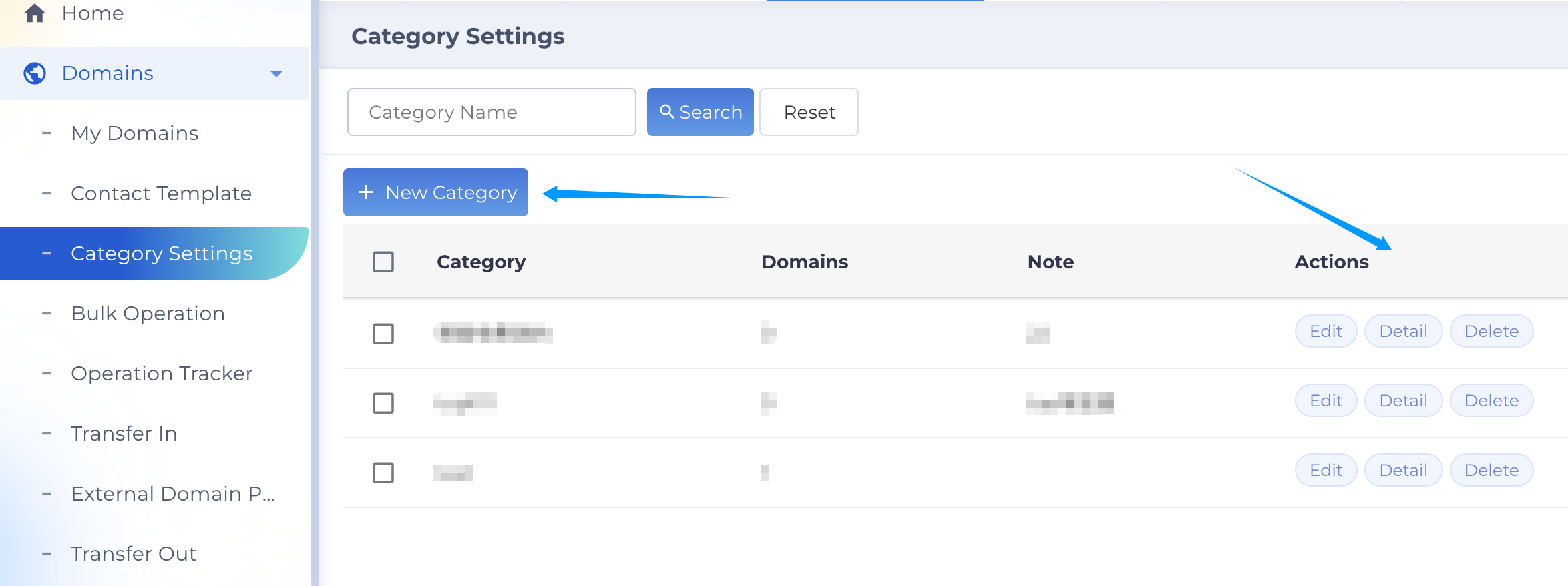
To manage a category, Go to Domains, then select Category Settings in the left navigation. You can add, edit, delete or rename the categories.
Feel free to contact us if there have any questions, you can submit ticket or contact online service.